
Published by American Well
Updated November 30, 2025
Live visits with a provider right on your mobile device. No appointment needed.
| Version | 15.10.07.008 |
| Size | 39.2 MB |
| What's New | We continue to improve the patient experience with these new features:• Performance enhancements to increase reliability and speed |
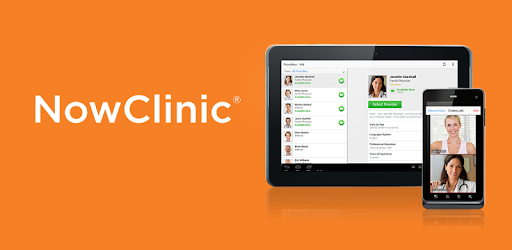
NowClinic is an Android app developed and published by American Well at Google Play Store on Oct 17, 2013 for Android users. NowClinic is so popular that it has gained 10000 installs so far and growing.
Are you tired of waiting in crowded waiting rooms at urgent care centers? Do you wish there was a way to receive quick and efficient medical care without leaving the comfort of your home? Look no further than NowClinic, the app that brings healthcare right to your fingertips.
NowClinic is revolutionizing the way we access healthcare by providing virtual appointments with experienced healthcare providers. Whether you need a prescription refill, a follow-up consultation, or even therapy sessions, NowClinic has got you covered.
One of the standout features of NowClinic is its quick and easy process. Gone are the days of scheduling appointments, commuting to the doctor's office, and waiting for hours to be seen. With NowClinic, all you need to do is download the app, enter your information, and set up your account. It's that simple.
Once you're set up, you can have a video visit with a healthcare provider from the comfort of your own home. No need to worry about light sensitivity or contagious people in a waiting room. NowClinic allows you to receive quality care without any hassle.
When it comes to your health, you want to ensure you're in good hands. NowClinic understands this, which is why they have a team of experienced and courteous healthcare providers available 24 hours a day. Whether you're seeking medical advice, therapy, or a prescription, you can trust that NowClinic's providers will listen to your concerns and provide the best possible care.
Patients have reported excellent experiences with NowClinic, praising the providers for their attentiveness and professionalism. They appreciate the convenience of being able to receive quality care without leaving their homes.
NowClinic offers a convenient and safe alternative to traditional healthcare settings. By utilizing virtual appointments, you can avoid the hassle of commuting, waiting in crowded waiting rooms, and potentially exposing yourself to more illnesses.
NowClinic is particularly beneficial for those who are feeling unwell and lack the energy to visit a doctor in person. With NowClinic, you can receive quick and helpful advice on the next steps to take, as well as medical care, all from the comfort of your own home.
Downloading and setting up NowClinic is a breeze. Simply search for the app in your device's app store, download it, and follow the prompts to create your account. It's a quick and easy process.
Yes, NowClinic's providers are available 24 hours a day, ensuring that you can receive the care you need whenever you need it.
Absolutely! NowClinic offers virtual therapy sessions, making it easy and convenient to access mental health support from the comfort of your own home.
NowClinic may not always accept insurance. In such cases, you can send the receipt to your insurance company for possible reimbursement. It's always a good idea to have the necessary funds available.
Yes, NowClinic is designed to be user-friendly, ensuring that even those who are not tech-savvy can easily navigate the app and access the healthcare services they need.
Yes, you can run NowClinic on PC, but first, you will need emulator software installed on your Windows or MAC, which you can download for free. In the below video, you will find NowClinic in action. Before you install the emulator, check out the minimum and recommended system requirements to run it seamlessly. They may change depending on which version of the emulator you choose. Therefore, we recommend you download the latest version of the emulator. Below you will find three free Android emulators that we have shortlisted based on their popularity:
Up to date graphics drivers from Microsoft or the chipset vendor.
Storage: 1 GB available under installation path, 1.5GB available hard drive space
Internet: Broadband Internet connection
Regardless of which Android emulator you install, the steps to install, configure, and running the NowClinic app on PC are the same.