Published by The Augustine Institute
Updated November 28, 2025
FORMED is the Android App brought to you by the Augustine Institute
| Version | 9.305.1 |
| Size | 30.7 MB |
| What's New | * Bug fixes* Performance improvements |
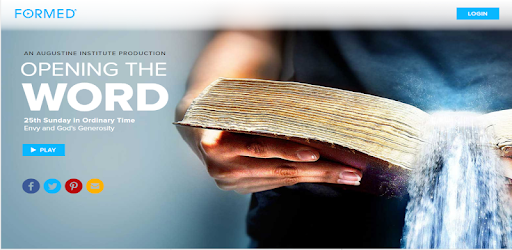
FORMED is an Android app developed and published by The Augustine Institute at Google Play Store on Dec 8, 2017 for Android users. FORMED is so popular that it has gained 50000 installs so far and growing.
Are you looking for a way to deepen your understanding of the Catholic faith? Look no further than FORMED, the exceptional app that offers something for everyone. Whether you're a lifelong Catholic or just beginning your spiritual journey, FORMED is a must-have resource that will inform and entertain you.
FORMED is packed with an extensive collection of high-quality content that will keep you engaged for a lifetime. From informative catechism lessons to entertaining videos and documentaries, there is no shortage of material to explore. The app boasts the very best catechists, ensuring that you receive accurate and reliable information.
One of the standout features of FORMED is its daily readings and audio insights. Dive into the Bible with the daily audio readings, which guide you through the Catholic Church year, starting with Advent and leading up to Easter. Immerse yourself in the joy of Christmas, the solemnity of Lent, and the renewal of life with Easter.
Additionally, FORMED offers a vast library of audio and video documentaries about the saints, including the beloved Saint John Paul II. These captivating stories will inspire and deepen your connection to the rich history of the Catholic Church.
FORMED is not just for individuals seeking to deepen their faith; it is also a fantastic resource for families. With its user-friendly interface and diverse range of content, FORMED is perfect for sharing with your loved ones. Whether you want to watch educational programs with your children or enjoy a family movie night with faith-based films, FORMED has you covered.
One of the most significant advantages of FORMED is its commitment to providing a safe and appropriate viewing experience. Say goodbye to worrying about inappropriate content popping up while watching with your kids. With FORMED, you can enjoy peace of mind and focus on nurturing your family's spiritual growth.
FORMED is more than just an app; it is a powerful tool that can transform your spiritual journey. With its extensive collection of books, videos, study programs, and more, FORMED offers an exceptional resource for forming an orthodox faith. The app's easy-to-use interface ensures that you can navigate through the content effortlessly, making your experience seamless and enjoyable.
But don't just take our word for it. Countless users have expressed their gratitude for FORMED and its impact on their lives. Many have found solace, hope, and support in their spiritual walk with Christ, no matter the challenges they face. FORMED has become a go-to resource for everyday issues, providing guidance and inspiration when it is needed most.
If you're ready to embark on a journey of faith and discover the power of FORMED, download the app today. With its exceptional content, user-friendly interface, and commitment to fostering spiritual growth, FORMED is the ultimate resource for Catholics seeking to deepen their understanding of the faith.
FORMED is an app that offers a vast collection of Catholic content, including videos, books, study programs, and more. It is designed to inform and entertain individuals and families, providing a valuable resource for deepening their understanding of the faith.
Absolutely! FORMED offers a wide range of content for children, including educational programs and age-appropriate videos. It is a safe and reliable resource for families looking to nurture their children's spiritual growth.
Yes, you can access FORMED on various devices, including smartphones, tablets, and streaming devices like Roku. This allows you to enjoy the content wherever and whenever you want.
FORMED collaborates with the very best catechists and experts in the Catholic faith to ensure that the content is accurate and reliable. You can trust that the information you receive through FORMED is of the highest quality.
Absolutely! FORMED is designed to be shared. Whether you want to watch videos with your family, lead Bible studies, or educate others in your parish, FORMED provides a platform for sharing the richness of the Catholic faith.
Yes, you can run FORMED on PC, but first, you will need emulator software installed on your Windows or MAC, which you can download for free. In the below video, you will find FORMED in action. Before you install the emulator, check out the minimum and recommended system requirements to run it seamlessly. They may change depending on which version of the emulator you choose. Therefore, we recommend you download the latest version of the emulator. Below you will find three free Android emulators that we have shortlisted based on their popularity:
Up to date graphics drivers from Microsoft or the chipset vendor.
Storage: 1 GB available under installation path, 1.5GB available hard drive space
Internet: Broadband Internet connection
Regardless of which Android emulator you install, the steps to install, configure, and running the FORMED app on PC are the same.