
Published by Acingame
Updated June 8, 2026
Breathtaking Fighting Action Stickman RPG
| Version | 1.4.1 |
| Size | 473.0 MB |
| What's New | Update Notes:1. Added server switching function. 2. Optimized numbers of damage dealt. 3. Optimized Phantom Hades battle experience. 4. Optimized Friends suggestion function. 5. Fixed the issue where players were not able to set Hero Momo as hero appearance. 6. Other optimizations. |
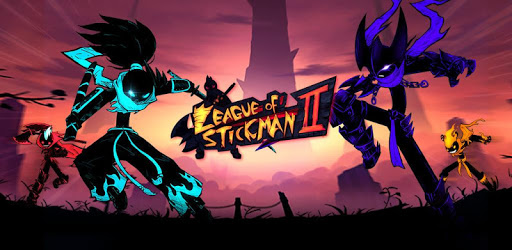
League of Stickman 2 is an Android app developed and published by Acingame at Google Play Store on Apr 25, 2018 for Android users. League of Stickman 2 is so popular that it has gained 100000 installs so far and growing.
Are you a fan of action-packed fighting games? Look no further because League of Stickman 2 is here to provide you with an exhilarating gaming experience. With its stunning graphics, unique characters, and challenging gameplay, this sequel is a must-play for all enthusiasts of the genre.
League of Stickman 2 takes the excitement of the first game to a whole new level. As you embark on your journey, you'll have the opportunity to play as an assassin, adding a thrilling twist to the gameplay. Take advantage of your assassin skills to defeat enemies with precision and style.
Furthermore, the game offers a wide range of chapters for you to explore. Each chapter presents its own set of challenges and obstacles, ensuring that you'll never get bored. Get ready to immerse yourself in a world filled with action, adventure, and endless possibilities.
One of the standout features of League of Stickman 2 is its rapid increase in difficulty. As you progress through the game, you'll find yourself facing tougher opponents and more complex battles. This ensures that you're constantly challenged and engaged, making every victory all the more satisfying.
However, be prepared to put in some effort to level up your character. The power levels in the game require you to grind and work hard. But don't worry, the sense of accomplishment you'll feel when you finally overcome these challenges is well worth the effort.
League of Stickman 2 introduces a guild system that allows you to team up with other players and take on epic battles together. However, some players have found the guild system to be a bit confusing due to a lack of direction and instruction. Additionally, the time zones can be a bit wonky. But fear not, as you'll quickly get used to these minor inconveniences and start enjoying the benefits of being part of a guild.
The developers of League of Stickman 2 are dedicated to providing the best gaming experience possible. They have recently released an update that brings back the Investion tab, ensuring that it now works as intended. This shows their commitment to addressing any issues and continuously improving the game.
However, some players have reported encountering problems with purchasing items from the Giftpack shop. Rest assured, the developers are aware of this issue and are working to resolve it. If you've experienced any problems with your purchases, make sure to reach out to the support team for assistance.
League of Stickman 2 has managed to exceed the expectations of players who were eagerly awaiting its release. With better content, an abundance of sticks, and a well-balanced gameplay experience, this sequel has truly dominated its predecessor.
However, some players have expressed disappointment with the game being strictly online, as they enjoyed the offline feature in the previous installment. Additionally, the decision to limit the storage bag has been met with mixed reviews. While there are options to increase storage space, it can be a tedious task and some items cannot be sold, taking up valuable space.
In conclusion, League of Stickman 2 is an incredible sequel that offers a thrilling and immersive gaming experience. With its captivating graphics, challenging gameplay, and a wide range of characters to choose from, this game is sure to keep you entertained for hours on end.
While there are some minor issues with the guild system and storage limitations, the developers are actively working to improve the game and address any concerns. With regular updates and a dedicated support team, you can expect a seamless gaming experience.
So what are you waiting for? Join the League of Stickman 2 community today and embark on an epic adventure filled with action, excitement, and endless possibilities!
Yes, League of Stickman 2 is available for download on both Android and iOS devices. Simply visit the respective app stores and search for "League of Stickman 2" to begin your adventure.
No, League of Stickman 2 requires an internet connection to play. This ensures that you can engage in thrilling battles with other players and take advantage of the guild system for a more immersive experience.
To increase your storage space in League of Stickman 2, you have the option to either purchase the endless bag with real money or use sticks, the in-game currency, to expand your storage. Keep in mind that some items cannot be sold, so managing your inventory effectively is crucial.
Yes, the developers are constantly working on improving the game and adding new content. Stay tuned for future updates that may introduce new heroes with unique skills and abilities. The possibilities are endless in the world of League of Stickman 2!
Yes, you can run League of Stickman 2 on PC, but first, you will need emulator software installed on your Windows or MAC, which you can download for free. In the below video, you will find League of Stickman 2 in action. Before you install the emulator, check out the minimum and recommended system requirements to run it seamlessly. They may change depending on which version of the emulator you choose. Therefore, we recommend you download the latest version of the emulator. Below you will find three free Android emulators that we have shortlisted based on their popularity:
Up to date graphics drivers from Microsoft or the chipset vendor.
Storage: 1 GB available under installation path, 1.5GB available hard drive space
Internet: Broadband Internet connection
Regardless of which Android emulator you install, the steps to install, configure, and running the League of Stickman 2 app on PC are the same.