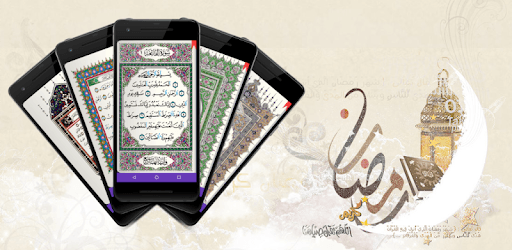
Mushaf for PC

Mushaf for PC

Published by A.Abdo

Updated September 5, 2025

Easy and free app to read quran.

What's New

Version3.3.3
Size125.4 MB
What's NewVersion 3.3.0:-Add Qari Rasheed Belashea (Warsh - Asbhani - Gapless)-Add Qari Hasan Saleh (Warsh - Azrak - Gapless)-Fix Ayah number with Quran text display-Sort Qari according to rewaya-Add more play options with 2 page view-Fix some issue#To support the application, you can now subscribe to the Mushaf membership and get some additional features

Mushaf Screenshots

Mushaf PC screenshot

About Mushaf For PC

Mushaf is an Android app developed and published by A.Abdo at Google Play Store on Dec 12, 2013 for Android users. Mushaf is so popular that it has gained 6578561 installs so far and growing.

Introduction to Mushaf

Mushaf is an exceptional application designed for reading and studying the Quran. It stands out due to its unique features, making it a preferred choice for many. With its user-friendly design and remarkable functionalities, Mushaf brings a seamless experience for users across the globe.

Features of Mushaf

Comprehensive Quran Recitation

One of the standout features of Mushaf is its ability to cater to various recitation needs. Users can choose their preferred reciters and listen to the surahs and ayahs in different melodious voices. This feature is enhanced with options to repeat verses, chapters, or even entire sections, assisting users in memorization and thorough understanding.

Interactive Tafseer and Translations

Mushaf supports multiple interpretations and translations of the Quran, making it accessible to a broader audience. This includes English Tafseer Ibn Kathir, Anwarul Bayan, and Maariful Quran. Additionally, there's a translation in Hausa by Abubakar Mahmud Gumi for Nigerian users. These resources enrich users' understanding and provide a deeper insight into the meanings of the verses.

Customizable Reading Experience

Offering various types of Mushaf and customizable page colors, the app ensures a comfortable reading environment. It also includes color-coded letters indicating different Tajweed rules, which significantly aids in proper Quranic pronunciation. Moreover, users can mark their reading progress and save multiple bookmarks, making it easy to resume reading at any time.

Advanced Audio Features

Mushaf comes with advanced audio features, such as the ability to adjust the recitation speed and repeat frequency. These adjustments cater to personalized learning needs, allowing users to control how many times a verse should be repeated. This flexibility supports users at various stages of their Quranic studies.

Practical Learning Tools

Tajweed and Practical Examples

The app also offers practical examples of Tajweed rules, like Idhhar Halqi and Idgham Kulli. These examples are extremely helpful for those aiming to perfect their Quranic recitation. By including such nuanced features, Mushaf ensures users can practice and improve their Tajweed skills effectively.

Convenient Storage Options

With Mushaf, users have flexible options for storing audio files. Although some recent updates might have changed the storage capabilities, previous versions allowed for audio files to be saved on external SD cards. This feature is particularly useful for users who have limited internal storage on their devices.

Community Support and Dedication

Commitment to Improvement

The developers of Mushaf are dedicated to continuous improvement and user satisfaction. They actively listen to feedback and regularly update the app to address any issues and introduce new features. This commitment ensures that Mushaf remains at the forefront of Quranic applications, adapting to the evolving needs of its users.

Ad-Free Experience

One of the highly appreciated aspects of Mushaf is its minimalistic approach to advertisements. Users can focus on their Quranic studies without being distracted by disruptive ads, which is crucial for maintaining the sanctity and concentration required for such an endeavor.

Conclusion

Mushaf's combination of comprehensive features, user-friendly design, and continuous improvements makes it an outstanding choice for anyone looking to read, listen to, and study the Quran. It stands out with its personalization options, practical learning tools, and dedicated support from its developers, providing an enriching experience for all users.

Can I run Mushaf on PC?

Yes, you can run Mushaf on PC, but first, you will need emulator software installed on your Windows or MAC, which you can download for free. In the below video, you will find Mushaf in action. Before you install the emulator, check out the minimum and recommended system requirements to run it seamlessly. They may change depending on which version of the emulator you choose. Therefore, we recommend you download the latest version of the emulator. Below you will find three free Android emulators that we have shortlisted based on their popularity:

How to Install Mushaf on Windows PC

BlueStacks

Minimum
  • OS: Microsoft Windows 7 and above.
  • Processor: Intel or AMD Processor.
  • RAM: Your PC must have at least 4GB of RAM. (Note that having 4GB or more disk space is not a substitute for RAM)
  • Storage: 5GB Free Disk Space.
  • You must be an Administrator on your PC.
Recommended:
  • OS: Microsoft Windows 10
  • Processor: Intel or AMD Multi-Core Processor with Single Thread benchmark score > 1000.
  • Graphics: Intel/Nvidia/ATI, Onboard or Discrete controller with benchmark score >= 750.
  • Please ensure Virtualization is enabled on your PC/Laptop.
  • RAM: 8GB or higher
  • Storage: SSD (or Fusion/Hybrid Drives)
  • Internet: Broadband connection to access games, accounts and related content.

Up to date graphics drivers from Microsoft or the chipset vendor.

  • To start with, download Bluestacks from its official website. The latest version of BluesStacks is v 5, and it is around 400 MB.
  • Once the download is done, click on the Bluestacks set up file to install it on your Windows PC. Follow the on-screen instructions and install it accordingly.
  • The next step is to launch the emulator using the desktop shortcut and sign in using your Google account.
  • Now, head over to Bluestacks home screen and click on the Google Play Store icon.
  • Hit the search bar in Google Play and search for Mushaf.
  • Install Mushaf from the Play Store by clicking the Install option, which completes downloading of Mushaf on PC.

NoxPlayer

Minimum
  • Operating System: Windows XP SP3, Windows Vista, Windows 7, Windows 8, Windows 10, and DirectX 9.0c
  • Processor: At least dual-core processor, both Intel, and AMD are OK
  • Video: Supports Open GL 2.0 or above
  • Memory: 1.5 GB RAM
Recommended
  • Operating System: Windows 7, Windows 8, Windows 10
  • Processor: Multiple core processors which support VT-x or AMB-V Virtualization Technology, better performance with this function enabled
  • Video: The higher performance, the better
  • Memory: 4 GB RAM

Storage: 1 GB available under installation path, 1.5GB available hard drive space

Internet: Broadband Internet connection

  • Download NoxPlayer from the official website. The latest version of NoxPlayer is v 3, and it is around 600 MB.
  • Now install the emulator using the downloaded setup file. Just go through the on-screen instructions and install NoxPlayer on your computer or laptop.
  • After the installation process, launch the Nox Android emulator and log in using your Google account when it asks you.
  • Click on the Google Play Store icon and head over to the search bar to search Mushaf. Once found, click on the Install button to install Mushaf for PC.
  • If you do not find Mushaf on Google Play Store or if you want to skip logging in to Google, you can sideload APK (download the .APK file from this page and open it with NoxPlayer).
  • Launch Mushaf from home-screen and start playing it on PC right away!

MEmu

Minimum
  • 2 cores x86/x86_64 Processor (Intel or AMD CPU)
  • WinXP SP3 / Win7 / Win8 / Win10 (Not recommended to run on Server/Enterprise)
  • Latest Windows DirectX 11 / Graphics driver with OpenGL 2.0
  • Hardware Virtualization Technology (Intel VT-x/AMD-V) shall be enabled in BIOS
  • 2GB of RAM (4GB for x64 system)
  • 5GB of hard disk free space
Recommended
  • OS: Microsoft Windows 10 with VT Enabled
  • CPU: Single Thread PassMark score > 1500 (Intel/AMD Multi-Core).
  • Graphics: Intel/Nvidia/ATI, Onboard or Discrete controller with PassMark score > 750.
  • Latest Windows DirectX 11 / Graphics driver with OpenGL 4.5 or higher
  • RAM: 8GB or higher
  • HDD: SSD, 10GB of hard disk free space
  • Internet: Broadband connection with low latency for FPS games
  • Download MEmu Play from the official website. The latest version of NoxPlayer is v 7.5.
  • When the download is completed, install the MEmu emulator on your PC. Follow the on-screen instructions and keep on clicking the Next button until the final step.
  • Now, using the desktop shortcut, look for the MEmu Play emulator and launch it. Once done, it will ask you to log in using your Google account, proceed with the same.
  • MEmu Play will ask you to log in using your Google account. When you log in, it will sync your Google account to MEmu Play. Launch the Google Play Store by clicking on the icon and search for Mushaf.
  • Click on the Install button once you find Mushaf from the search results. You can also sideload APK (download the .APK file from this page and open it with MEmu) if you want to skip above step.
  • After the installation of Mushaf, you're all set to use the app on PC!

Regardless of which Android emulator you install, the steps to install, configure, and running the Mushaf app on PC are the same.