
Published by FindLostCellPhone
Updated April 29, 2026
Find Lost Phone finds your lost phone in seconds, It also find stolen phone
| Version | 14.1 |
| Size | 28.8 MB |
| What's New | Minor bug fixes and improvements. Install or update to the newest version to check it out! |
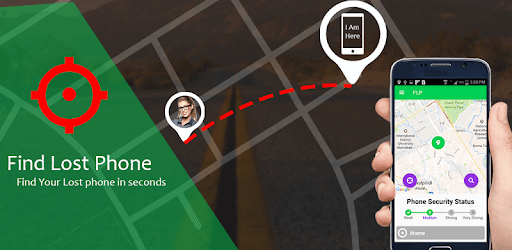
Find Lost Phone is an Android app developed and published by FindLostCellPhone at Google Play Store on Feb 17, 2017 for Android users. Find Lost Phone is so popular that it has gained 22778088 installs so far and growing.
Have you ever experienced the sinking feeling of realizing that your phone is missing? It's a moment of panic and frustration, knowing that your precious device, filled with important data and memories, is nowhere to be found. But fear not, because Find Lost Phone is here to save the day!
Find Lost Phone is an exceptional app that utilizes cutting-edge GPS technology to pinpoint the exact location of your lost phone. Whether it's been misplaced, stolen, or simply hiding in the nooks and crannies of your home, this app will guide you with precision and accuracy, ensuring that you are swiftly reunited with your beloved device.
One of the standout features of Find Lost Phone is its ability to effortlessly track your device's location. The moment you realize your phone is missing, simply activate the app, and it will start ringing, even if it's in silent mode. This clever functionality can deter potential thieves and help you locate your phone in no time.
Thanks to the advanced GPS technology integrated into the app, you'll receive real-time updates on the exact whereabouts of your phone. It's like having a personal detective by your side, guiding you with accurate directions to retrieve your device. No more aimlessly searching or relying on vague guesses!
While Find Lost Phone is undoubtedly a game-changer in the world of phone retrieval, there are a few areas where it could be enhanced. For instance, some users have mentioned that the app could provide more specific information, such as guiding them directly to the door where the phone is located, especially in cases where there are multiple rooms or complex layouts.
However, it's important to note that even with this slight limitation, Find Lost Phone has proven to be incredibly effective in helping users locate their missing devices. Countless success stories have been shared, with individuals finding their stolen or misplaced phones with ease, thanks to this remarkable app.
If you've ever experienced the frustration of losing your phone, then Find Lost Phone is an absolute must-have app for you. Available for download on the Google Play Store, this app will be your trusted companion, ensuring that you never have to endure the stress and inconvenience of a lost phone again.
With Find Lost Phone, you can rest easy knowing that your device is always within reach. Its seamless tracking and retrieval capabilities, combined with its user-friendly interface, make it the ultimate solution for anyone who values the safety and security of their phone.
Yes, Find Lost Phone is compatible with both Android and iOS devices, making it accessible to a wide range of users.
No, the app requires the phone to be turned on and connected to the internet for tracking purposes.
Yes, Find Lost Phone offers a free version with limited features. However, for enhanced functionality and access to all the app's features, a premium version is available for a nominal fee.
The GPS tracking provided by Find Lost Phone is highly accurate, ensuring that you receive precise location updates to guide you in retrieving your lost device.
Yes, Find Lost Phone is not limited to smartphones and can also track and help retrieve lost tablets and smartwatches, as long as they are compatible with the app.
Yes, you can run Find Lost Phone on PC, but first, you will need emulator software installed on your Windows or MAC, which you can download for free. In the below video, you will find Find Lost Phone in action. Before you install the emulator, check out the minimum and recommended system requirements to run it seamlessly. They may change depending on which version of the emulator you choose. Therefore, we recommend you download the latest version of the emulator. Below you will find three free Android emulators that we have shortlisted based on their popularity:
Up to date graphics drivers from Microsoft or the chipset vendor.
Storage: 1 GB available under installation path, 1.5GB available hard drive space
Internet: Broadband Internet connection
Regardless of which Android emulator you install, the steps to install, configure, and running the Find Lost Phone app on PC are the same.