Published by GHOULKISS
Updated October 5, 2025
A fun and cute monster-themed character creator with 500+ parts.
| Version | 4.1.8 |
| Size | 140.7 MB |
| What's New | - Updates to match Play Store policy changes.- Known Issue: Video recordings not saving. |
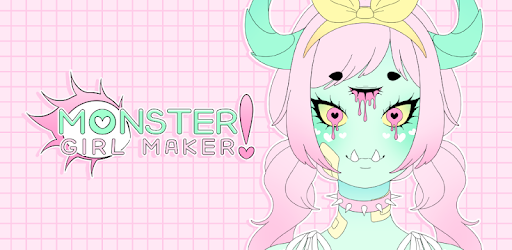
Monster Girl Maker is an Android app developed and published by GHOULKISS at Google Play Store on Aug 17, 2018 for Android users. Monster Girl Maker is so popular that it has gained 6393957 installs so far and growing.
If you love designing characters and expressing your artistic side, Monster Girl Maker is a must-try. This engaging and dynamic app offers endless possibilities for creating adorable, quirky, and fantastical monster girls. Perfect for anyone who has a knack for character design and imagination, Monster Girl Maker will keep you entertained for hours.
Monster Girl Maker is packed with a myriad of customization options that allow you to bring your wildest ideas to life. From choosing different hairstyles, clothes, and accessories to tweaking the smallest details of your character’s appearance, this app gives you total control over your designs. The options are so varied and abundant that you can create tremendously unique characters without ever running out of ideas or repeating the same look twice.
One of the standout features of Monster Girl Maker is its user-friendly interface. Navigating through the various options and tools is seamless and straightforward. You can easily find what you need to make your perfect monster girl, without getting overwhelmed by complex menus or features. This makes it an excellent choice for users of all ages, from children to adults.
Perhaps one of the most appealing aspects of Monster Girl Maker is its limited use of ads. Unlike many other free apps that bombard you with constant interruptions, Monster Girl Maker offers a smooth and enjoyable experience with minimal ad interruptions. This means you can spend more time creating and less time waiting.
The developers of Monster Girl Maker are incredibly responsive and thoughtful. They actively listen to user feedback and work tirelessly to fix any issues or crashes that may arise. Regular updates ensure that any bugs are promptly addressed, allowing you to continue enjoying the app without any hiccups. With these continual improvements, the game continues to get better and more user-friendly over time.
While Monster Girl Maker offers a wealth of free content, there are also optional in-game purchases available. These add-ons provide additional customization options and enhancements, giving you even more tools to create your monster girl. However, these purchases are entirely optional, and the free version is generous enough to keep you entertained and satisfied.
Whether you're on a long drive, waiting for an appointment, or just looking to relax and unwind, Monster Girl Maker is a fantastic way to pass the time. The delightful visuals, combined with the endless creative possibilities, make it a highly enjoyable and absorbing experience. No matter where you are, you can open the app and start creating, which is perfect for sparking inspiration or just having fun.
Monster Girl Maker is suitable for a wide range of users. Kids can enjoy creating cute and quirky characters, while adults can delve deeper into the nuanced customization options. It’s a game that transcends age, making it fun for everyone in the family. Whether you're designing characters for a story, creating avatars, or simply exploring your artistic skills, this app has something for everyone.
While Monster Girl Maker is incredibly engaging and fun, there is always room for improvement. Some users have expressed a desire for a version that includes male characters. Adding this feature could broaden the appeal even further, offering more options for character design enthusiasts.
So there you have it, Monster Girl Maker is a dazzling, fun-filled app perfect for unleashing your creativity. Its thoughtful design, wide range of customization options, and minimal ads make it a standout choice for anyone interested in character design. Dive into the world of Monster Girl Maker and let your imagination run wild!
Yes, you can run Monster Girl Maker on PC, but first, you will need emulator software installed on your Windows or MAC, which you can download for free. In the below video, you will find Monster Girl Maker in action. Before you install the emulator, check out the minimum and recommended system requirements to run it seamlessly. They may change depending on which version of the emulator you choose. Therefore, we recommend you download the latest version of the emulator. Below you will find three free Android emulators that we have shortlisted based on their popularity:
Up to date graphics drivers from Microsoft or the chipset vendor.
Storage: 1 GB available under installation path, 1.5GB available hard drive space
Internet: Broadband Internet connection
Regardless of which Android emulator you install, the steps to install, configure, and running the Monster Girl Maker app on PC are the same.