Published by Escolha Tecnologia
Updated July 31, 2025
Speak with many voices in many languages, easily convert text to speech (TTS)
| Version | 15.0.32 |
| Size | 32.6 MB |
| What's New | 👉The new version of Narrator’s Voice is here!🚀Now you have access to the world’s most advanced AI voices - with professional dubbing quality!We rebuilt the app from the ground up to give you a much faster, lighter, and easier experience.Go check it out - it’s absolutely amazing! |
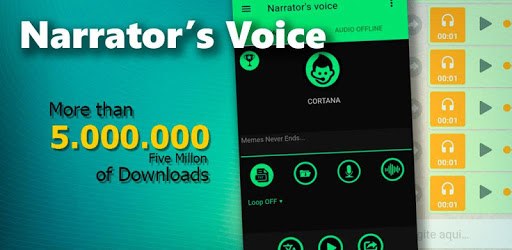
Narrator's Voice is an Android app developed and published by Escolha Tecnologia at Google Play Store on Nov 17, 2015 for Android users. Narrator's Voice is so popular that it has gained 34331583 installs so far and growing.
Do you need an app that offers a diverse range of voices? Look no further than Narrator's Voice. Many people find it a joy to use thanks to the iconic male voice option and a variety of other voice selections. It even lets you try out voices before you pay, unlike some other services. The app can turn your text into speech in ways that are both fun and useful.
One of the outstanding features of Narrator's Voice is its wide array of voice options. Whether you need a voice for a spooky Halloween project, like Ghostface, or a budget-friendly voice for your social media content, this app has something for everyone. You can even find voices that aren't available on platforms like TikTok. Plus, it includes the amazing UK bot named Amy, which many users adore.
The user-friendly interface of Narrator's Voice makes it accessible to everyone, from amateurs to professionals. Navigating through the app is a breeze, allowing you to create voiceovers quickly and without hassle. It's perfect for generating voices for work videos or keeping track of daily tasks through voice alarms. The simplicity of its design helps you get the job done with ease.
Many find the app budget-friendly because you have the option to either use it for free with ads or pay a small fee to remove them. This flexibility allows more people to have access to the high-quality voices of the app without breaking the bank. For those who want an ad-free experience, becoming a premium user is quite straightforward.
Narrator's Voice is not just for fun projects; it can be highly functional as well. It's a great tool for theaters and classes where vocal performance is key. Additionally, the app can help you create subliminal audio tracks with positive affirmations, blending seamlessly into music. Imagine using it to assist in your studies, or even to generate engaging content for your social media platforms.
As with any app, continuous improvements are always welcomed. Users often hope for new features like voice recognition to mimic their own voices or increased word limits. Despite these aspects, Narrator's Voice remains a top choice for many due to its regular updates and refinements, ensuring it stays current and user-friendly.
For content creators, Narrator’s Voice is invaluable. Whether you're a beginner or a seasoned professional, the app allows for the creation of high-quality voiceovers that can elevate your content. Whether you're crafting an engaging video for your social media or producing a professional-sounding work project, Narrator’s Voice equips you with the necessary tools.
If you're on the lookout for an app that balances ease of use with a versatile range of features, Narrator's Voice may just be what you need. With its robust voice choices and user-friendly interface, it's helping people create amazing content one voice at a time.
Yes, you can run Narrator's Voice on PC, but first, you will need emulator software installed on your Windows or MAC, which you can download for free. In the below video, you will find Narrator's Voice in action. Before you install the emulator, check out the minimum and recommended system requirements to run it seamlessly. They may change depending on which version of the emulator you choose. Therefore, we recommend you download the latest version of the emulator. Below you will find three free Android emulators that we have shortlisted based on their popularity:
Up to date graphics drivers from Microsoft or the chipset vendor.
Storage: 1 GB available under installation path, 1.5GB available hard drive space
Internet: Broadband Internet connection
Regardless of which Android emulator you install, the steps to install, configure, and running the Narrator's Voice app on PC are the same.