Published by Pragmatheorist
Updated September 6, 2026
Real-time precision audio spectrum analyzer for sound enthusiasts
| Version | 0.9.8 |
| Size | 23.1 MB |
| What's New | Early production version. Please, test the app and tell us what you liked about it. How could we improve it for you? Thank you for participating in making Audizr the best Spectrum Analyzer in the market!0.9.8 No more ads! Easy navigation between Spectrum and RTA.0.9.7 Audio source option. Peak frequency labels. |
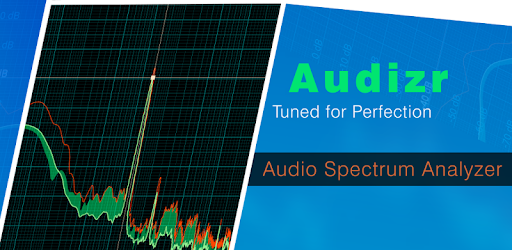
Audizr - Spectrum Analyzer is an Android app developed and published by Pragmatheorist at Google Play Store on Jul 12, 2017 for Android users. Audizr - Spectrum Analyzer is so popular that it has gained 10000 installs so far and growing.
Are you tired of guessing whether you're hearing certain sounds or not? Do you wish you had a reliable way to analyze the frequency and amplitude of your audio? Look no further than Audizr - Spectrum Analyzer, the ultimate app for all your audio analysis needs. Whether you're a music enthusiast, an electronics engineer, or simply someone who wants to understand the intricacies of sound, Audizr has got you covered.
Audizr is a powerful spectrum analyzer app that allows you to visualize and analyze audio signals with ease. With its intuitive interface and advanced features, it provides a seamless experience for both beginners and professionals alike. Whether you're using it on your Amazon Fire 10 or any other device, Audizr offers all the options you need in a portable AF spectrum analyzer.
One of the standout features of Audizr is its ability to handle frequency peaks with precision. Users have praised how it outperforms other popular apps like Spectroid in this aspect. The frequency peaks are displayed in a visually appealing manner, making it easy to identify and analyze them. Whether you're tuning your instruments or monitoring the health of high-speed motors, Audizr's visualization and averaging options are sure to impress.
While Audizr is already a fantastic app, some users have expressed their desire for additional features. One user mentioned how they wished Audizr could read the "fingerprints" of their music files, similar to another spectrogram app they own. This feature would undoubtedly enhance the overall experience and provide an even more comprehensive analysis.
Another user, a retired electronics engineer with 45 years of experience, commended Audizr for its accuracy and performance. They mentioned how they had spent hundreds of dollars on actual instruments that didn't work as well as Audizr. This testimonial speaks volumes about the app's capabilities and its potential to revolutionize audio analysis.
No, Audizr is primarily designed for real-time audio analysis. However, it excels in providing accurate and detailed information about the frequency and amplitude of the audio signals you're currently listening to.
Absolutely! Audizr offers performance and accuracy for analog audio research and development. Its convenience and ergonomics also make it a great tool for live audio applications.
Currently, Audizr represents the audio level as a negative -dB. However, a calibration feature to show a positive dB scale of the loudness of the frequencies at the location of the phone would be a valuable addition.
While Audizr is not specifically designed for 3D printers, it can be used for tuning purposes. Users have reported success in using Audizr to tune their 3D printer FEP without the need for any complicated setup.
With its user-friendly interface, powerful features, and accurate analysis, Audizr - Spectrum Analyzer is the go-to app for anyone interested in understanding and analyzing audio. Whether you're a music lover, an engineer, or a student, Audizr will exceed your expectations and provide you with the insights you need. Download Audizr today and unlock the full potential of audio analysis!
Yes, you can run Audizr - Spectrum Analyzer on PC, but first, you will need emulator software installed on your Windows or MAC, which you can download for free. In the below video, you will find Audizr - Spectrum Analyzer in action. Before you install the emulator, check out the minimum and recommended system requirements to run it seamlessly. They may change depending on which version of the emulator you choose. Therefore, we recommend you download the latest version of the emulator. Below you will find three free Android emulators that we have shortlisted based on their popularity:
Up to date graphics drivers from Microsoft or the chipset vendor.
Storage: 1 GB available under installation path, 1.5GB available hard drive space
Internet: Broadband Internet connection
Regardless of which Android emulator you install, the steps to install, configure, and running the Audizr - Spectrum Analyzer app on PC are the same.