
Published by ING Belgium NV
Updated December 14, 2025
Easy-to-use app for managing private and business accounts on your smartphone
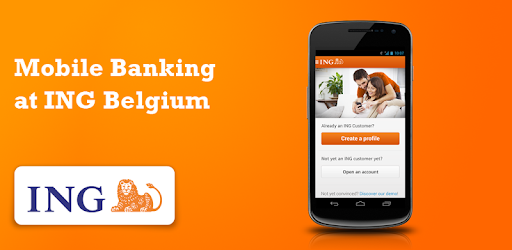
ING Smart Banking is an Android app developed and published by ING Belgium NV at Google Play Store on May 9, 2012 for Android users. ING Smart Banking is so popular that it has gained 1000000 installs so far and growing.
Are you tired of the hassle of traditional banking? Do you want a fast and convenient way to manage your finances? Look no further than the ING Smart Banking app. With its user-friendly interface and a wide range of features, this app is designed to make your banking experience seamless and efficient.
The ING Smart Banking app boasts an easy and intuitive user interface, making it a breeze to navigate through your accounts and perform transactions. Whether you want to check your balance, transfer money, or pay bills, everything is just a few taps away. Say goodbye to the days of complicated banking processes.
Security is a top priority when it comes to banking, and the ING Smart Banking app understands this. With default security settings that protect your transactions, you can rest assured that your financial information is safe. Plus, you have the option to customize your security preferences through the ING website, giving you full control over your account's safety.
One of the standout features of the ING Smart Banking app is its ability to capture proof of payment. Whether you need to send it to various beneficiaries or simply keep a record for yourself, this app has got you covered. No more hassle of taking screenshots and then trying to send them via email. It's all integrated within the app for your convenience.
While the ING Smart Banking app offers a plethora of features, one area where it can improve is the integration with Zoomit. Currently, to pay an invoice via Zoomit, you still need to connect to your computer and use the digicard reader. However, the ING team is aware of this limitation and is actively working on a solution. We can expect an update soon that will make Zoomit support a reality.
Yes, the app is available for both Android and Apple devices, ensuring that you can access your accounts no matter which platform you prefer.
Yes, the ING Smart Banking app provides access to both personal and business accounts, making it convenient for entrepreneurs and business owners.
If you encounter any issues with the app, the ING customer service team is ready to assist you. Reach out to them, and they will provide prompt and helpful solutions to resolve your problem.
Yes, you can use the app to check your professional account. However, if you are experiencing any difficulties in viewing your professional account in your profile, the ING team is aware of the issue and is actively working on a solution.
Experience the future of banking with the ING Smart Banking app. Download it today and enjoy a seamless and convenient banking experience right at your fingertips.
Yes, you can run ING Smart Banking on PC, but first, you will need emulator software installed on your Windows or MAC, which you can download for free. In the below video, you will find ING Smart Banking in action. Before you install the emulator, check out the minimum and recommended system requirements to run it seamlessly. They may change depending on which version of the emulator you choose. Therefore, we recommend you download the latest version of the emulator. Below you will find three free Android emulators that we have shortlisted based on their popularity:
Up to date graphics drivers from Microsoft or the chipset vendor.
Storage: 1 GB available under installation path, 1.5GB available hard drive space
Internet: Broadband Internet connection
Regardless of which Android emulator you install, the steps to install, configure, and running the ING Smart Banking app on PC are the same.